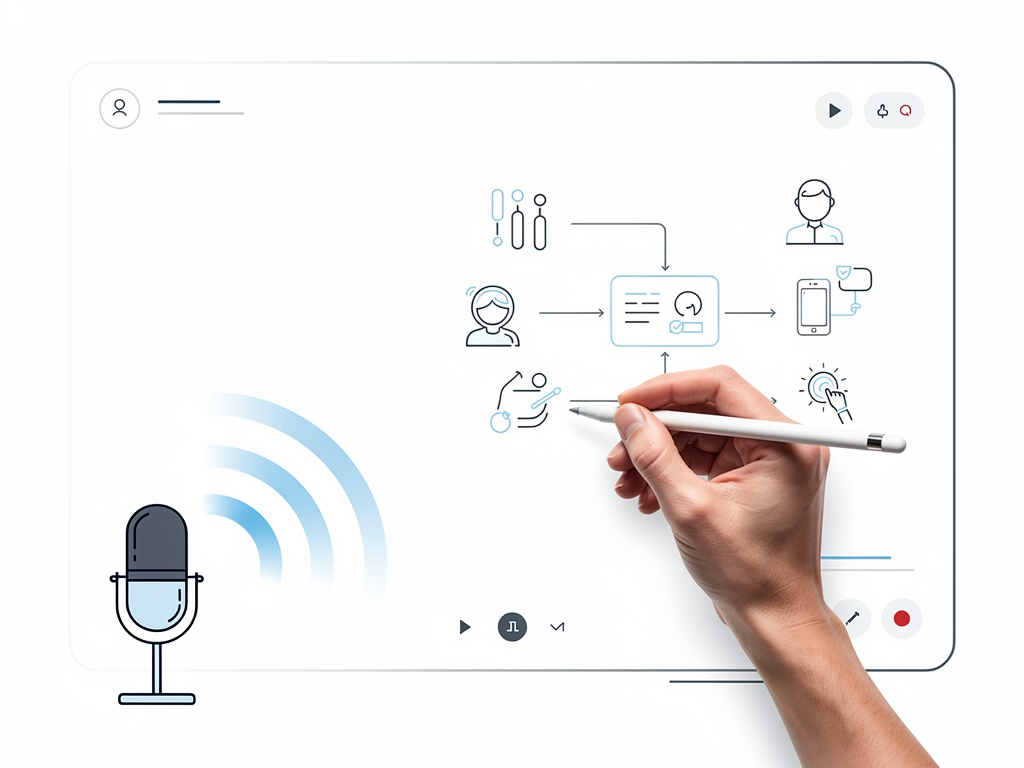
What Is an AI Whiteboard Video Generator?
An AI whiteboard video generator is software that takes a topic, script, PDF, or image and automatically produces a narrated whiteboard animation. You feed it text or a document, pick a voice language, and the tool generates scenes, draws them in real time on a virtual whiteboard, and adds AI-generated narration—all without you touching a design tool or hiring an animator.
The result is a finished, ready-to-share video. No storyboarding, no frame-by-frame drawing, no manual voiceover recording required. The AI handles the heavy lifting: it breaks your script into visual concepts, generates illustrations that match those concepts, times the animation to the narration, and syncs captions. You get a polished explainer video in minutes instead of weeks.
How Does an AI Whiteboard Video Generator Work?
What happens when you submit a script or topic?
When you upload a script or enter a topic, the AI reads the text and identifies the key ideas that need visual explanation. It then generates a sequence of scenes—each one a drawing or diagram that illustrates a single concept. The AI decides what to draw, how to animate it (fade in, draw, highlight), and how long each scene should stay on screen to match the pacing of the narration.
For example, if your script explains how a water filter works, the AI might generate a scene showing water entering the filter, then a scene showing particles being trapped, then a scene showing clean water exiting. Each scene is timed to the voiceover so the animation and narration stay in sync.
How does the AI generate narration?
The tool uses text-to-speech (TTS) technology to convert your script into spoken audio. You choose a language—most generators support 10+ languages—and the AI reads your text aloud in a natural-sounding voice. The narration is burned into the video and synced to the animation automatically.
Some generators, like Ankon AI, also offer voice cloning: record a 10-second sample of your own voice once, and the AI can narrate in your voice across all 13 supported languages. This is useful if you want brand consistency or a personal touch without hiring a voice actor.
What inputs can you use?
Most AI whiteboard generators accept multiple input types:
- Topic or one-liner: "Explain how photosynthesis works" → the AI generates a full script and video from scratch.
- Paste a script: Provide your own narration text, and the AI animates it.
- Upload a document: PDF, TXT, or Markdown files are parsed and turned into a video.
- Reference image: Upload a diagram or sketch, and the AI uses it as a visual guide for the animation.
This flexibility means you can start from almost anywhere—a rough idea, a finished script, or an existing document.
What Are the Main Use Cases?
Product and feature explainers
Software companies use whiteboard videos to explain how their product works. A 2–3 minute video can walk a prospect through the core value proposition faster than a sales call. The animated, step-by-step format makes complex features easier to understand.
Onboarding and training
Teams use whiteboard videos to train new hires or guide users through a process. Instead of a wall of text or a live training session, a video can be watched on demand, paused, and replayed. This scales training without adding overhead.
Educational content
Teachers, tutors, and online course creators use whiteboard videos to explain concepts—math, science, history, business. The visual, animated format holds attention better than a lecture slide.
Marketing and social media
A short whiteboard video can explain a concept, answer a common question, or introduce a new idea. These videos perform well on LinkedIn, YouTube, and TikTok because they're visually engaging and easy to follow.
Internal communication
Companies use whiteboard videos to explain strategy, process changes, or company updates to employees. It's a more engaging alternative to an email or a memo.
What Are the Key Features to Look For?
Automatic scene generation
The best generators don't just animate a static script—they actively generate new scenes and visuals based on the content. This means fewer scenes feel repetitive, and the pacing feels natural. Some tools, like Ankon AI, offer an "Enhance" mode that doubles the number of scenes in a video, creating smoother transitions and a richer visual experience.
Multilingual narration
If you need to reach a global audience, look for a tool that supports multiple languages. Ankon AI supports 13 languages via AI voiceover, so you can generate the same video in different languages without re-recording.
Captions and accessibility
Good generators include burned-in captions and export SRT files for subtitle tracks. This makes videos accessible to deaf and hard-of-hearing viewers and improves engagement on muted social platforms.
Customization and branding
You should be able to add your logo, choose colors, and customize the visual style to match your brand. Some tools also let you adjust animation speed, scene duration, and voiceover tone.
Fact-checking (optional but valuable)
Some generators, including Ankon AI, offer a fact-check feature that reviews your script for inaccuracies or unsupported claims. This is especially useful for educational or marketing videos where credibility matters.
How Much Does an AI Whiteboard Video Generator Cost?
Subscription-based pricing
Most AI whiteboard generators use a credit-based subscription model. You pay a monthly fee, receive a set number of credits, and spend credits to generate videos. The cost per video depends on the video length and features you use.
For example, Ankon AI's pricing works like this:
- Starter: $29/mo for 15 credits (roughly 7–8 videos of 2 minutes each)
- Plus: $69/mo for 40 credits (roughly 20 videos of 2 minutes each)
- Pro: $119/mo for 75 credits
- Studio: $249/mo for 160 credits
Each minute of finished video costs 1 credit (with a 2-credit minimum per video). If you use Enhance mode (which doubles the scenes), the cost doubles. A fact-check pass adds 1 credit. Annual billing typically gives ~20% off the monthly price.
Free tier and trial
Many generators offer free credits to try the tool before paying. Ankon AI gives 2 free credits on signup—enough to test the tool with a short video. These credits never expire.
Pay-as-you-go top-ups
If you run out of credits mid-month, you can buy additional credits on demand. Ankon AI charges $2 per credit (minimum $10 purchase) in packs of 5, 10, 25, 50, 100, or 250. Top-up credits don't expire but are only usable while you have an active subscription.
AI Whiteboard Video Generators vs. Traditional Animation
Speed
AI generators produce videos in minutes. Traditional animation—hiring an animator, storyboarding, frame-by-frame drawing—takes weeks or months. If you need a video fast, AI is the clear winner.
Cost
A subscription to an AI generator costs $29–$249/mo. Hiring a freelance animator for a 3-minute video can cost $500–$2,000+. For teams that produce videos regularly, AI is much cheaper.
Customization
Traditional animation gives you pixel-perfect control over every frame. AI generators are more constrained—you can't draw exactly what you want, and the visual style is limited to what the tool supports. If you need a highly specific look, traditional animation is better.
Consistency
AI generators produce consistent output every time. Traditional animators bring their own style and interpretation, which can vary. If you need a uniform visual brand across many videos, AI is more reliable.
Best for
- AI generators: Quick turnaround, regular video production, budget-conscious teams, educational or explainer content.
- Traditional animation: Highly branded or stylized videos, one-off projects where quality is paramount, or when you need a specific creative vision.
Common Limitations and How to Work Around Them
Limited visual control
You can't always draw exactly what you envision. The AI makes choices about what to illustrate and how. Workaround: provide a reference image or a very detailed script that guides the AI toward your preferred visual style.
Watermarks on free videos
Some generators add a watermark to videos made on the free tier. Ankon AI includes a small toggleable "Made with Ankon AI" badge on free-tier videos (the full-page watermark was removed). Workaround: upgrade to a paid plan to remove the badge entirely.
Render failures
Occasionally, a video fails to render due to a technical issue. Good generators refund the credits automatically. Ankon AI auto-refunds failed renders, so you don't lose credits on a broken video.
Voice quality
AI narration has improved dramatically but can still sound robotic or unnatural in some cases. Workaround: use voice cloning (if available) to add personality, or record your own voiceover separately and import it.
When Should You Use an AI Whiteboard Video Generator?
Use an AI whiteboard generator when:
- You need a video fast (days, not weeks).
- You're producing multiple videos and need to keep costs down.
- Your content is educational, explanatory, or process-focused (these formats suit whiteboard animation).
- You don't have design or animation skills in-house.
- You want to test video content before investing in professional animation.
Skip the AI generator if:
- You need a highly branded or stylized look that the tool can't deliver.
- Your video is a one-off project and budget isn't a constraint.
- You need pixel-perfect control over every visual element.
- Your content relies on photorealistic imagery or live-action footage.
The Verdict
AI whiteboard video generators have made explainer videos accessible to teams without animation budgets or design expertise. They're fast, affordable, and good enough for most use cases—product demos, training, marketing, education. The trade-off is less creative control and a more standardized visual style.
If you produce explainer videos regularly or need to get something out quickly, an AI whiteboard generator is worth testing. Most offer free credits, so you can try one risk-free. Ankon AI is a solid choice if you want multilingual support, voice cloning, or fact-checking built in—and you get 2 free credits to start.
For one-off, highly branded, or visually complex projects, traditional animation is still the better choice. But for the majority of teams and use cases, AI whiteboard video generators are now the default.