Why sales teams are ditching long product demos for whiteboard videos
Your prospect has 15 minutes. Your product has 47 features. A whiteboard explainer video doesn't try to cover everything—it shows why your prospect should care in the first 90 seconds, then walks through the one or two things that solve their actual problem.
Sales teams use whiteboard explainer videos to compress a 30-minute discovery call into a 2–4 minute video that prospects can watch before they even pick up the phone. The result: shorter sales cycles, higher qualification rates, and fewer calls spent re-explaining the same basics.
Unlike a polished product demo or a 10-minute feature walkthrough, a whiteboard video feels conversational and honest. It's a drawing on a board, not a studio production. That simplicity is the point—it builds trust because it looks like someone actually sat down and thought through the problem, not a marketing department.
When should you use a whiteboard video in your sales process?
Whiteboard videos work best when your product solves a problem that takes more than one sentence to explain, but less than five minutes to understand. If your prospect already knows they have the problem, a whiteboard video is perfect. If they don't know yet, you need a different tool first.
Here are the moments that matter:
Before the first call. Send a 2–3 minute whiteboard video in your outreach email or LinkedIn message. It answers "Why should I take this call?" without forcing the prospect to sit through a live demo. Sales teams report 20–30% higher meeting acceptance rates when a short explainer precedes the ask.
During qualification. Early in a discovery call, play a 90-second whiteboard video that frames the problem your product solves. It gets everyone on the same page fast and saves you from repeating the same pitch to every prospect.
In follow-up sequences. After a prospect goes silent, a short whiteboard video that addresses a specific objection ("Here's how we handle integrations" or "This is why our pricing model saves you money") often re-engages them better than another email.
For sales collateral. Post whiteboard videos on your website, in your sales deck, or in a shared folder. Reps can send them to prospects who ask "Tell me more about X" without having to jump on another call.
For different buyer personas. If your product appeals to both technical and business buyers, make two whiteboard videos—one that speaks to each. The technical buyer cares about architecture; the CFO cares about ROI. A single generic video satisfies neither.
What makes a whiteboard video actually work in a sales context?
A whiteboard video that moves deals forward does three things: it opens with the problem (not the product), it shows the solution in action, and it ends with a clear next step.
Start with the problem, not your company. Don't open with "We're a SaaS platform that helps teams collaborate." Open with "Most teams waste 3 hours a week in status meetings that could be a Slack message." The prospect recognizes themselves in the problem before you ever mention your product.
Show the before-and-after. The whiteboard should literally draw the messy, painful way things work now, then erase it and draw the clean way your product makes it work. This visual contrast is why whiteboard videos beat talking-head demos. The prospect sees the transformation.
Use numbers, not adjectives. Don't say your product is "powerful" or "intuitive." Say "cuts setup time from 4 hours to 15 minutes" or "reduces manual data entry by 87%." Whiteboard videos are perfect for this because you can literally draw the numbers and watch them change.
End with a specific ask. "Let's talk" is vague. "Book a 20-minute call to see how this works with your current workflow" is concrete. The video should make the next step obvious.
How long should a sales whiteboard video be?
Keep it between 90 seconds and 3 minutes. Anything shorter and you can't set up the problem. Anything longer and you've lost the prospect.
Break it down like this:
- 0–15 seconds: Problem statement. "Your team spends 10 hours a week on manual reporting."
- 15–45 seconds: Why it matters. "That's $50K a year in wasted productivity."
- 45–2:30: The solution. Show how your product solves it. Draw the workflow. Show the result.
- 2:30–3:00: Next step. "Let's see how this applies to your team."
For a 2-minute video, you're looking at roughly 240–280 words of script. That's tight—every sentence has to earn its place. Rambling kills sales videos.
What should you actually show on the whiteboard?
The best sales whiteboard videos show a workflow or a comparison, not a feature list.
Workflow videos draw how the prospect's current process works (messy, slow, error-prone), then draw how it works with your product (clean, fast, reliable). Example: "Here's how you onboard a new customer today" (draw: manual forms, email chains, spreadsheets) → "Here's how it works with us" (draw: one form, automatic routing, instant confirmation).
Comparison videos show why your approach is different. Example: "Most tools make you choose between speed and accuracy. We don't." Then draw a graph or a simple diagram that shows your product in the middle of that tradeoff.
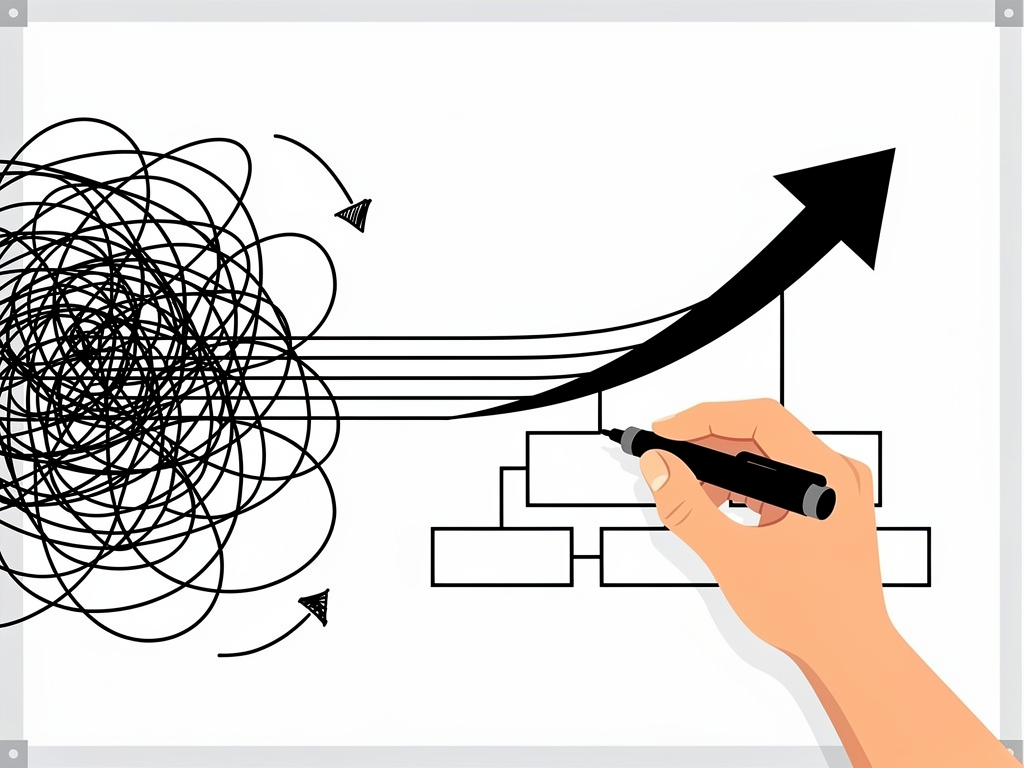
Problem-solution videos are the simplest: draw the problem (a tangle of lines), then draw the solution (a clean path). Use color, arrows, and simple icons to make the solution feel obvious.
Avoid: - Feature lists. "We have reporting, integrations, and dashboards." Yawn. The prospect doesn't care about features; they care about what features let them do. - Your company story. "We were founded in 2015 by three engineers." Save it for the about page. - Jargon. If you have to explain a term, don't use it. Your prospect is not a specialist in your industry.
How to script a sales whiteboard video that actually converts
Start with the objection or the question your sales team hears most often. That's your script.
If prospects always ask "How is this different from [competitor]?", that's your video. If they say "We don't have time to implement something new," that's your video. If they ask "How does pricing work?", that's your video.
Write the script in plain English, as if you're explaining it to a colleague over coffee. Read it aloud. If you stumble, rewrite it. If it takes more than 3 minutes to read, cut it.
Here's a template:
Opening (15 seconds): "Most [your prospect's role] spend [X hours/days] on [painful task]. It's not because they're inefficient—it's because [root cause]."
Problem deep-dive (30 seconds): "That means [consequence]. And if you're managing multiple [things], it gets worse. You end up with [specific bad outcome]."
Solution intro (10 seconds): "Here's a different way to think about it."
Solution walkthrough (60–90 seconds): "Instead of [old way], you [new way]. That means [benefit]. And because [reason], you also get [secondary benefit]."
Close (15 seconds): "The result: [quantified outcome]. Let's talk about how this works for your team."
That's your script. Now you need to turn it into a video.
Building a sales whiteboard video without hiring an animator
You have two options: hire a freelancer or use an AI video generator.
Hiring a freelancer takes 2–4 weeks and costs $500–$2,000 per video. If you need one video, that's fine. If you need five (one per buyer persona, one per common objection), it's expensive and slow.
An AI whiteboard video generator like Ankon AI turns your script into an animated whiteboard video in minutes. You paste your script, choose a voiceover language, and the AI generates the animation, narration, and captions automatically. The Starter plan includes 15 credits per month—enough for 7–8 videos of 2 minutes each (at the base rate of 1 credit per minute, with a 2-credit minimum per video).
The advantage: you can iterate fast. Write a script, generate a video, watch it, rewrite the script, generate again. By the time you've done this three times, you have a video that actually converts. With a freelancer, you're locked into the first version.
Ankon AI also includes AI narration in 13 languages, so you can use the same script for different regions without re-recording. If you want your own voice, you can record a 10-second clip once and it narrates in all 13 languages (voice cloning is available on the Pro plan and up).
How to measure whether your sales whiteboard video is working
Track these metrics:
Email open and click rates. If you send a whiteboard video in an outreach email, compare the click rate to your baseline. A 5–10% lift means the video is working.
Meeting acceptance rate. If you include a whiteboard video in your outreach, do more prospects say yes to a meeting? Compare to emails without a video.
Sales cycle length. Do deals move faster when a prospect has seen the whiteboard video before the first call? Track the time from first touch to close.
Objection frequency. If your video explains a common objection, does that objection come up less often in calls? If yes, the video is doing its job.
Engagement in calls. Ask your reps: "When a prospect has seen the whiteboard video, are they more prepared for the call?" More preparation usually means a shorter, more focused conversation.
If none of these metrics move, the video isn't working. Rewrite the script and try again. The beauty of AI video generation is that you can afford to iterate.
Common mistakes that kill sales whiteboard videos
Trying to cover too much. A sales whiteboard video is not a product manual. Pick one problem, show one solution. If you try to explain everything, you explain nothing.
Using a generic voiceover. A robotic AI voice can work, but a human voice (yours or a professional) builds more trust. If you use AI narration, at least make sure the script sounds natural when read aloud.
Making it too polished. A whiteboard video should look like a sketch, not a studio production. If it's too slick, it loses the "someone sat down and thought about this" feeling that makes whiteboard videos work.
Forgetting the call-to-action. The video should end with a specific next step: "Book a demo," "Reply with your biggest challenge," "Schedule a 20-minute call." Without it, the prospect watches and then... does nothing.
Not testing it with real prospects. Before you send it to 100 people, send it to 5 and ask for feedback. Does it answer their question? Does it make sense? Is it too long? Adjust and try again.
The sales whiteboard video as a competitive advantage
Most sales teams still rely on email, calls, and generic product demos. A whiteboard video that explains your product in 2 minutes, in plain English, with a clear problem-solution arc, stands out. It signals that you understand your prospect's problem and you've thought about how to explain your solution clearly.
It also compresses the sales cycle. Instead of spending 30 minutes on a discovery call explaining what you do, you spend 20 minutes understanding what the prospect needs. That's a better use of everyone's time.
The investment is small—a few hours to write and generate the video, then it works for you for months. Every prospect who watches it is a prospect who's better prepared for a conversation with your sales team.
Conclusion
Whiteboard explainer videos are a sales tool, not a marketing tool. They're designed to move a specific prospect closer to a decision by answering a specific question or addressing a specific objection—fast. The best sales whiteboard videos start with the problem, show the solution in action, and end with a clear next step. They're 2–3 minutes long, use simple language and visuals, and can be generated in minutes using an AI video tool. If your sales team is spending time re-explaining the same basics to every prospect, a whiteboard video is the fastest way to compress that conversation and move deals forward.