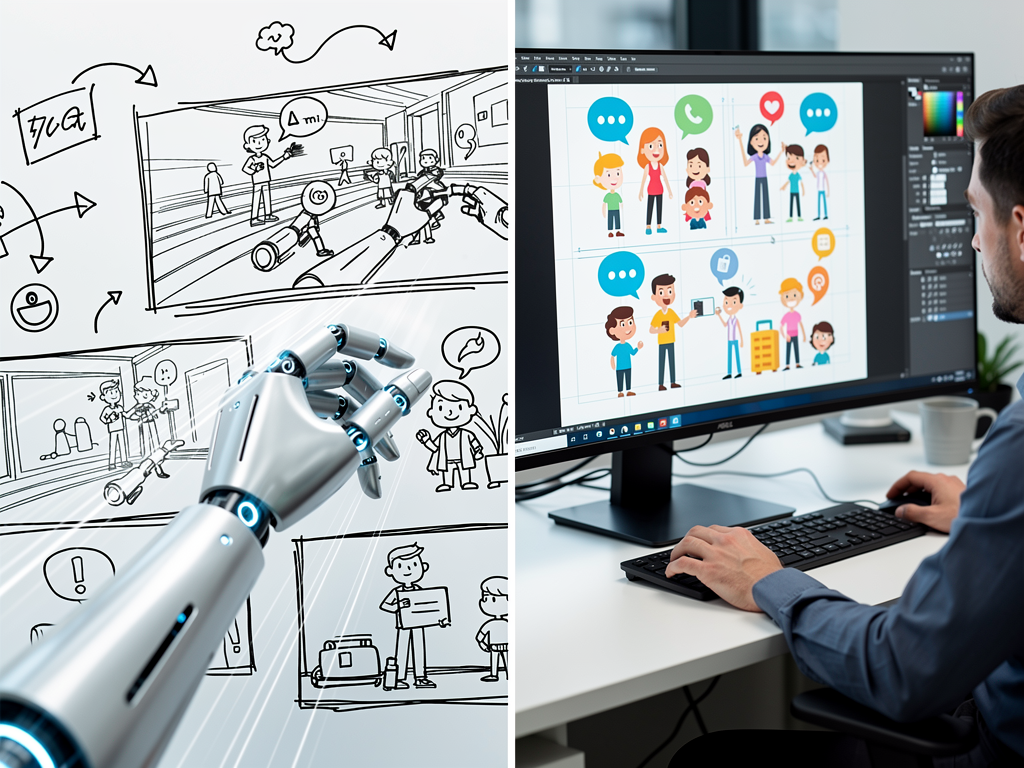
If you're choosing between Ankon AI and Doodly for explainer videos, the core difference is speed: Ankon AI generates whiteboard scenes from a script or topic in minutes using AI, while Doodly is a manual animation tool where you draw, position, and time every element by hand. For teams that need videos fast and don't mind AI-generated visuals, Ankon AI wins. For creators who want pixel-perfect control and don't mind spending hours per video, Doodly is the pick. Most people should start with Ankon AI — it's faster, cheaper to start, and the output quality is production-ready for internal comms, training, and marketing.
How do the core workflows differ?
Ankon AI and Doodly solve the same problem — making explainer videos — but in opposite directions.
With Ankon AI, you paste a script, upload a PDF, or type a topic. The AI reads it, generates a sequence of whiteboard scenes (drawings, text, animations), and narrates it with AI voiceover. A 3-minute video takes 5–10 minutes to create, including the time to review and tweak the script. You don't draw anything; you're directing an AI animator.
With Doodly, you start with a blank canvas. You manually select clip art, draw shapes, position them, set timing, add transitions, and sync audio. A 3-minute video typically takes 2–4 hours, depending on complexity and your comfort with the interface. You're the animator; Doodly is the canvas.
The tradeoff is clear: Ankon AI trades control for speed. Doodly trades speed for control. If your deadline is tomorrow, Ankon AI. If you have a week and want every frame to match your brand's exact aesthetic, Doodly.
What's the quality difference?
Both produce broadcast-ready video, but the style differs.
Ankon AI's output is a consistent, clean whiteboard aesthetic — hand-drawn lines, simple shapes, text overlays, and smooth animations. The AI learns from your script and generates scenes that match the narrative. Because it's AI-generated, the visuals are sometimes generic (a chart looks like a chart, a person looks like a stick figure), but they're always coherent and on-brand. The narration is AI voiceover, which sounds natural but not human-recorded. For internal training, SaaS explainers, and educational content, this is more than sufficient. For a premium brand film, it reads as "AI-made."
Doodly's output is also whiteboard-style, but you choose every visual. You can use Doodly's library of clip art, draw custom shapes, or import images. The result is more polished if you spend time on it, and more generic if you don't. The narration is whatever you record or import. Doodly's strength is that a skilled animator can make something that feels intentional and branded; its weakness is that it requires skill and time.
In 2026, the gap has narrowed. Ankon AI's AI-generated scenes are no longer obviously "AI" — they look like a professional whiteboard video. Doodly's output depends entirely on the operator. A Doodly video made by a designer looks better than a rushed Ankon AI video; a Doodly video made by a non-designer often looks worse.
How do pricing and credits work?
Ankon AI uses a credit system; Doodly uses a flat subscription.
Ankon AI pricing: - Starter: $29/mo, 15 credits - Plus: $69/mo, 40 credits - Pro: $119/mo, 75 credits - Studio: $249/mo, 160 credits - Annual billing: ~20% discount on monthly price - Free tier: 5 free credits on signup (never expire) - Top-up: $2 per credit, $10 minimum, in packs of 5/10/25/50/100
One credit = 1 minute of finished video (2-credit minimum per video). If you enable Enhance mode (default, for denser scenes), it costs 2x credits. Fact-check adds 1 credit. Fast render is free.
So a 5-minute video with Enhance on costs 10 credits. A 3-minute video with Enhance costs 6 credits. The Starter plan (15 credits) gets you roughly 2–3 videos per month; Plus (40 credits) gets 5–7 videos.
Doodly pricing: Doodly offers monthly and annual plans. Check their site for current pricing; it's typically a flat monthly fee with no per-video credit system. You can make unlimited videos once you're subscribed.
The math favors Ankon AI if you make 3–5 videos per month and don't need pixel-perfect control. The math favors Doodly if you make 10+ videos per month or need full creative control — the unlimited videos offset the higher subscription cost.
What about features and integrations?
Ankon AI is built for speed and automation. Key features: - AI scene generation from script, topic, PDF, or image - AI narration in 8+ languages - Enhance mode for denser, more detailed scenes (default, 2x credits) - Fact-check option to verify script accuracy (+1 credit) - Burned-in captions and SRT export - Custom logo branding - Voice cloning (Pro and up) - REST API + OAuth (Studio tier, for developers) - Collections and attachments for organization
Doodly is built for creative control. Key features: - Clip art library with thousands of pre-made assets - Drawing tools for custom shapes and annotations - Timeline editor for precise timing and sequencing - Music library and sound effects - Export to MP4, GIF, or embed - Whiteboard and blackboard themes - Hand-drawing animation to simulate a real person drawing
Ankon AI's API and voice cloning are powerful for teams and agencies. Doodly's drawing tools and clip art library are powerful for creators who want to customize every frame.
For integrations: Ankon AI works with Zapier and has a REST API. Doodly integrates with some email and CMS platforms but is more limited. If you're automating video creation or embedding videos in a larger workflow, Ankon AI has the edge.
Which is better for different use cases?
Choose Ankon AI if: - You need videos fast (same day or next day) - You're making 3–8 videos per month - Your budget is under $100/mo - You're okay with AI-generated visuals - You need multilingual narration - You want to automate video creation via API - You're making internal training, product explainers, or educational content
Choose Doodly if: - You have time to animate (hours per video) - You're making 10+ videos per month - You want full creative control over every frame - You need a specific visual style or brand aesthetic - You're comfortable with manual animation tools - You're making marketing videos where every pixel matters - You want to record your own voiceover
The hybrid approach: Some teams use both. They use Ankon AI for quick internal videos and Doodly for polished client or marketing work. Ankon AI's fast turnaround makes it ideal for iteration; Doodly's control makes it ideal for final output.
What about ease of use?
Ankon AI has a gentler learning curve. You paste a script or upload a PDF, click "Generate," and review the result. Most people can make a video in their first session. The interface is simple: input, settings (Enhance on/off, Fact-check on/off), render, export.
Doodly requires more training. You need to understand the timeline, layering, animation timing, and how to use the clip art library. A beginner can make a basic video in an hour, but a polished video takes practice. If you've used Adobe Animate or similar tools, Doodly feels familiar. If you haven't, it's a steeper ramp.
For non-technical teams, Ankon AI is the clear winner. For designers and animators, Doodly is more natural.
What about watermarks and branding?
Ankon AI: Active subscribers never have a watermark. Free-tier videos carry a faint Ankon AI watermark (toggleable by the operator).
Doodly: Paid plans remove the Doodly watermark. Free tier includes it.
Both let you add custom logos and branding. Ankon AI's branding is simpler (logo placement); Doodly's is more granular (colors, fonts, custom assets).
Verdict: Which should you pick?
Start with Ankon AI if you're new to explainer videos or need speed. The Starter plan ($29/mo, 15 credits) is enough for 2–3 videos per month, and the 5 free credits let you test it risk-free. The AI-generated visuals are professional, the narration is clear, and the turnaround is fast. If you find yourself making 10+ videos per month or needing pixel-perfect control, upgrade to Doodly.
For agencies and teams: Ankon AI's API and voice cloning make it the better choice for automation and scale. For freelance animators and designers: Doodly's tools are more powerful.
The real question isn't which is objectively better — it's which fits your workflow. If you value speed and simplicity, Ankon AI wins. If you value control and don't mind the time investment, Doodly wins. Most teams should try Ankon AI first; the barrier to entry is lower, and you can always add Doodly later for projects that need it.
Sources
- Doodly — official site
- Ankon AI pricing — current plans and credits